Full-stack development
What Is the MEAN Stack? Angular, Node.js and How It Compares with MERN
What Angular adds to a JavaScript stack, why AngularJS tutorials will mislead you, how MEAN compares with MERN, and how to learn it in a sensible order.
- Published
- Updated
- Reading time
- 7 min read
In this guide
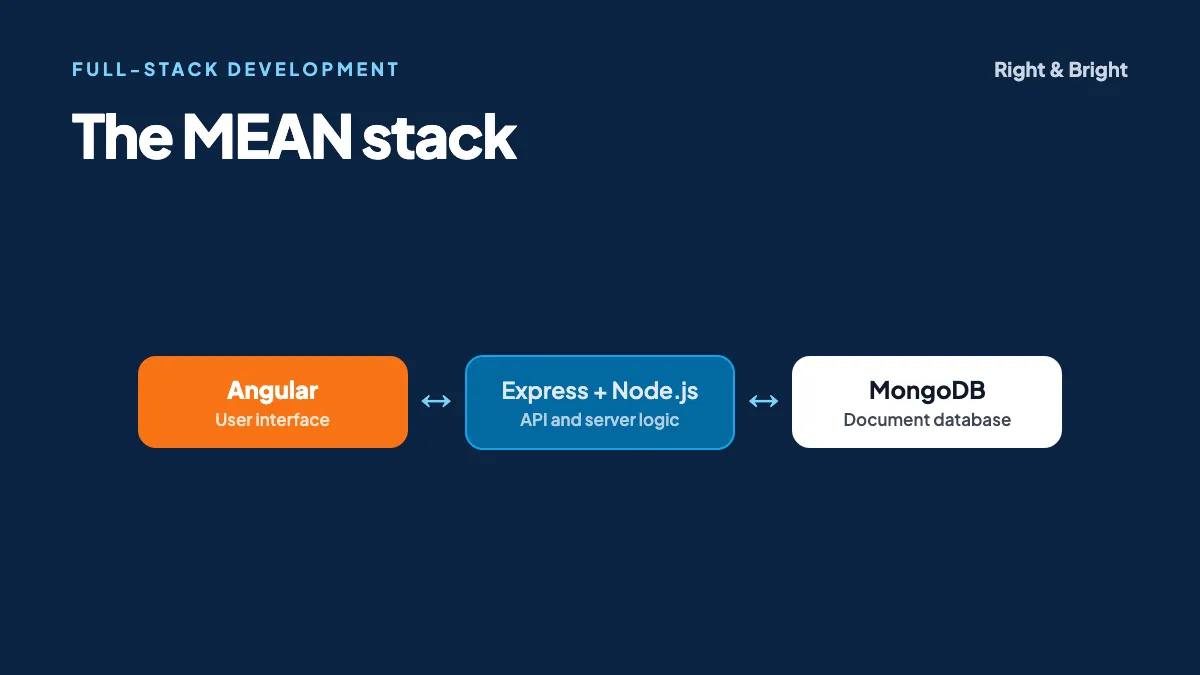
The MEAN stack is a set of four JavaScript-based technologies for building full-stack web applications: MongoDB (database), Express (server framework), Angular (front-end framework) and Node.js (server runtime).
Its defining feature is Angular. Where a MERN developer chooses separate libraries for routing, forms and more, an Angular developer gets those in one framework, with conventions that make large codebases look alike. Whether that structure feels helpful or heavy is a large part of choosing between MEAN and MERN.
This site is itself an Angular application, prerendered so that each page's full content is in the initial HTML. So we can speak from direct experience about the front-end half of this stack.
What does each part of MEAN do?
MongoDB's overview describes MEAN as a three-tier architecture.
| Technology | Tier | What it does |
|---|---|---|
| Angular | Display | Builds the interface using components, with routing and forms included |
| Express | Application | Routes HTTP requests to the right server code |
| Node.js | Application | Runs JavaScript on the server |
| MongoDB | Database | Stores data as JSON-like documents |
AngularJS is not Angular
Older tutorials, and even some current pages, write the "A" in MEAN as "AngularJS" or "Angular.js". AngularJS is the older framework, and its support ended in January 2022. Today's Angular is a separate, TypeScript-based framework. If a tutorial uses ng-controller or $scope, it is teaching the old one, so find a newer tutorial.
What does Angular give you?
Angular is a full framework. Its documentation lists components, signals, dependency injection, a router, forms, server-side rendering and a command-line tool as built-in parts of the platform.
- TypeScript by default. Types catch many errors before you run the code, and they make large projects easier to navigate.
- Signals. A way of tracking state so that Angular can update just what changed.
- Dependency injection. Components ask for what they need, such as a data service, which makes code easier to share and test.
- HttpClient. A built-in client for calling your Express API.
- Server-side rendering and static generation. Options for delivering full HTML in the first response, which helps performance and search visibility.
How does a request flow through MEAN?
An Angular component calls an API through HttpClient, Express routes the request on Node.js, the handler queries MongoDB, and the JSON result returns to Angular, which updates the view.
The front end: an Angular component
import { Component, inject } from '@angular/core';
import { HttpClient } from '@angular/common/http';
import { toSignal } from '@angular/core/rxjs-interop';

interface Course {
  _id: string;
  title: string;
}

@Component({
  selector: 'app-courses',
  standalone: true,
  template: `
    @for (course of courses(); track course._id) {
      <p>{{ course.title }}</p>
    } @empty {
      <p>No courses yet.</p>
    }
  `,
})
export class CoursesComponent {
  private readonly http = inject(HttpClient);
  readonly courses = toSignal(this.http.get<Course[]>('/api/courses'), { initialValue: [] });
}
We compiled this component with Angular's strict template checking on Angular 17, the version this site runs. For it to work at runtime, your app must also register HttpClient using provideHttpClient(). Notice how much TypeScript contributes: if you misspell course.title in the template, strict mode reports it at build time, before a user can see the problem.
The back end is the same as MERN
Express, Node.js and MongoDB work identically in both stacks. Our MERN stack guide includes a working Express route, as well as advice on data modelling and security. All of that applies here. You can use it with this Angular component unchanged, since both use the same /api/courses endpoint.
MEAN vs MERN: which should you choose?
Neither is better in general. MEAN suits teams that value one structured framework with conventions built in. MERN suits teams that prefer React's flexibility and larger choice of add-on libraries. Team skills and local job demand usually decide it.
| MEAN (Angular) | MERN (React) | |
|---|---|---|
| Type | Full framework | UI library, with a framework if you choose one |
| Language | TypeScript by default | JavaScript or TypeScript |
| Routing and forms | Included | Chosen separately or supplied by a framework |
| Templates | HTML templates with Angular syntax | JSX inside JavaScript |
| Learning curve | More concepts to learn upfront | Fewer at first, with more decisions later |
| Typical strength | Large, long-lived applications | Interactive apps with flexible architecture |
| Back end | Express, Node.js, MongoDB | Express, Node.js, MongoDB |
The rows on learning curve and strengths reflect our opinion and common experience, and capable teams build large apps in both. MongoDB's own comparison also says that neither is inherently better. The most useful research you can do takes an hour: search for current job listings in your city and count how many ask for each one.
When is MEAN a good choice?
- Large business applications, such as admin systems and internal tools with many forms, where consistency across a big team matters.
- Teams with Java or C# experience, who may find classes, types and dependency injection familiar.
- Projects that will live for years, where shared conventions make it easier for new developers to join.
A very small site or a highly relational data model may be better served elsewhere. As with MERN, a relational database is often a more natural fit for heavily linked, transactional data, and Angular works just as well with one.
Common mistakes when learning MEAN
- Following an outdated tutorial. Besides AngularJS confusion, older Angular content relies on NgModules and
*ngIf. They are still common in existing code, so it helps to recognise them, but newer projects use standalone components and@if. Start from angular.dev. - Skipping TypeScript basics. Angular's errors are far easier to read when you understand types.
- Trusting the front end. Angular route guards improve the user experience, but real permission checks must also happen in Express.
- Treating RxJS as something you must master first. Learn the basics of observables as you meet them. Signals now cover plenty of everyday state.
- Leaving out tests. Our Playwright guide shows how to add end-to-end tests. In fact, Playwright with TypeScript fits naturally into an Angular team that already uses the language.
How should you learn the MEAN stack?
- HTML, CSS and JavaScript, including promises and async/await.
- TypeScript: types, interfaces, classes and generics.
- Angular: components, signals, templates, routing, forms and services.
- Node.js and Express: routes, middleware and REST APIs.
- MongoDB: documents, queries, indexes and data modelling.
- Connect them: add authentication and role-based permissions.
- Deploy: our guide to cloud basics covers the fundamentals, and our introduction to DevOps explains pipelines. Consider adding an AI feature too, as described in our LLM and RAG guide.
Project idea
Build an internal leave-management system. Employees submit requests through validated forms, managers approve or reject them, and administrators see reports. It plays to Angular's strengths in forms, routing and services, and it needs real role-based permissions on the server.
Right & Bright's 10-week, intermediate-level MEAN Stack Development course covers Angular, Node.js, Express, MongoDB, TypeScript and deployment.
Frequently asked questions
Is the MEAN stack still relevant?
Yes. Angular is actively developed, and many organisations run large applications on it. Whether it is the right stack for you depends on the job market where you are looking, so check current listings.
Is Angular harder than React?
Angular usually has more to learn at the start, because it includes more out of the box. React has fewer initial concepts, but you make more decisions yourself later. Many developers feel the overall effort evens out on large projects.
Do I need to learn TypeScript for MEAN?
Yes, at least the basics. Angular is built around TypeScript, and you can also use it in your Express code, so the whole stack can share types.
Can I switch from MEAN to MERN later?
Yes. MongoDB, Express and Node.js skills carry over completely, and the main concepts of components and state transfer too. You would mostly need to learn React's way of writing them.
Can Angular apps rank in search engines?
Yes. Using Angular's server-side rendering or prerendering, each page's content is present in the first HTML response. This site is built that way.
Sources and further reading
- MongoDB: MEAN Stack Explained
- Angular: Overview, Signals and Server-side rendering
- AngularJS: Version support status
- OWASP: Top 10
MEAN Stack Development
Learn Angular and the full stack with a mentor
Our 10-week, intermediate-level course covers Angular, Node.js, Express, MongoDB, TypeScript and deployment. Book a free demo class and meet the mentor first.
Related guides
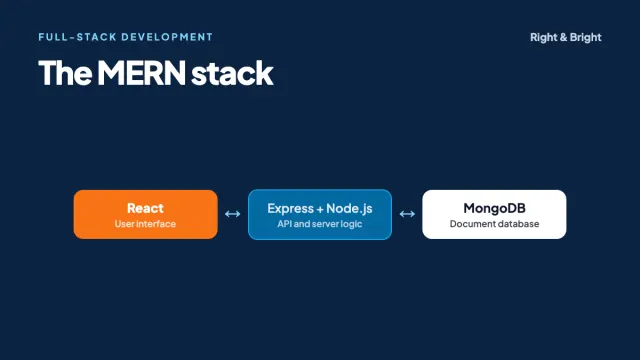
Full-stack development
What Is the MERN Stack? How It Works and How to Learn It
The MERN stack explained: MongoDB, Express, React and Node.js, with code for a full request, data modelling and security basics, and a learning roadmap.
7 min read
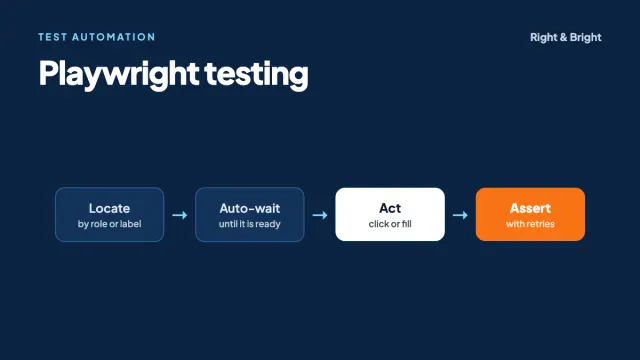
Test automation
Playwright Testing: A Practical Guide for Beginners with TypeScript
Learn Playwright with TypeScript: setup, tested code examples, locators, auto-waiting, CI/CD, common mistakes and how it compares with Selenium.
7 min read
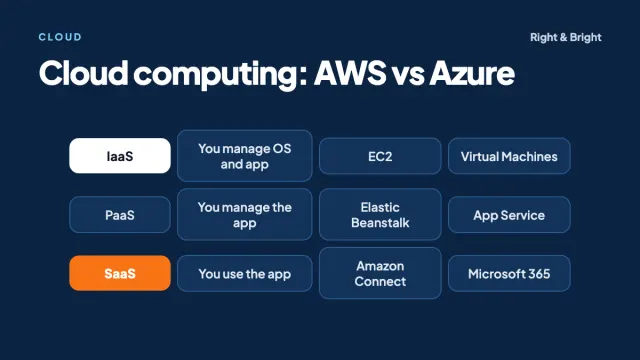
Cloud
Cloud Computing Explained: AWS vs Azure and How to Get Started
Cloud computing basics: IaaS, PaaS, SaaS, shared responsibility, AWS and Azure services compared, cost control, a first project and a learning roadmap.
7 min read